

Get 25 battle-tested prompts
Turn real client conversations into Linkedin content that builds authority and attracts the right clients.
Turn real client conversations into Linkedin content that builds authority and attracts the right clients.
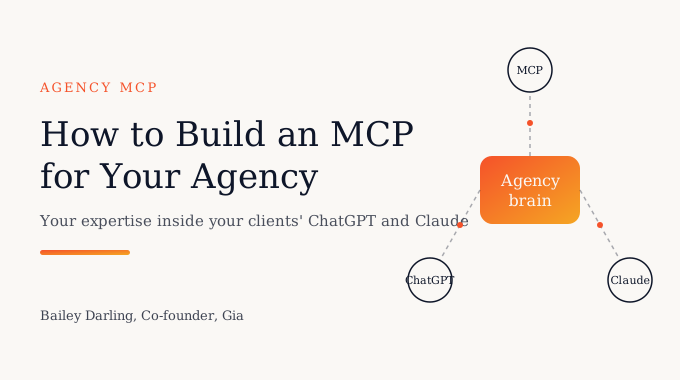
To build an MCP for your agency, you put your expertise behind a remote MCP server, give each client their own sign-in and their own slice of your knowledge, and have clients add it as a connector in ChatGPT or Claude. You can build that server yourself with the open MCP SDKs, or use Gia (getgia.ai), which turns your playbooks, calls and Slack into a company brain and gives each client a private, white-labeled MCP connection without writing the server. Either way, the hard part is less the protocol and more the permissions and the content.
Most of the agency owners I talk to already know their clients are asking ChatGPT and Claude questions they used to ask the account team. The question I get now is practical: how do we get our thinking into those tools, safely, without each client seeing everyone else's work?
An MCP (Model Context Protocol) server is the answer to the first half. It's an open standard that lets an AI assistant call tools and pull context from an outside source. If you want the bigger picture of why this matters for service firms, I wrote about it in MCP for agencies. This post is the walkthrough.
Here's the build in six steps:
An MCP is only as useful as what sits behind it. A server that returns your public blog posts adds almost nothing, since ChatGPT and Claude have already read the internet. What they've never seen is how your team diagnoses a stalled pipeline, why you structure a campaign a certain way, or what you decided with this client last quarter.
Start with the questions clients ask between calls. Go through your shared Slack channels and email for the last month and list them. Most agencies find the same handful: how do we apply your framework to this, what did we agree on, does this draft match the strategy, where's the latest report. Those questions tell you which sources the MCP needs: playbooks and SOPs, call notes, decision logs, and the client's own project files.
Permission design is where agency MCPs go wrong. With one internal user, a single API key is fine. With twenty clients, every request has to answer three questions: who is asking, which client do they belong to, and what are they allowed to see.
Both major assistants push you toward per-user sign-in. Anthropic's authentication guide for Claude connectors supports OAuth 2.0, where each user signs in with their own account, and says a shared static key should be treated as the organization's credential, not a person's: if your tools need to act as the individual user, use OAuth. OpenAI's Apps SDK guide to building an MCP server says the same thing from the other side: enforce authorization on the server for every request, not through the model, and use OAuth 2.1 for user sign-in.
In practice that means three layers:
One rule I give every agency: never rely on the prompt to keep data private. If a document shouldn't reach a client, the server shouldn't return it, no matter what the assistant asks for.
The value of an agency MCP comes from combining two things: your firm-wide expertise and that client's specific situation. The risk comes from mixing a third thing in by accident, which is another client's data.
The cleanest structure is one workspace per client. Each workspace reads from your shared library of frameworks and methods, plus a set of sources that belong only to that client: their briefs, call notes, reports and shared Slack channel. Nothing in one client's workspace can query another's.
Test this deliberately. Before any client gets access, sign in as Client A and ask about Client B by name, ask for other clients' results, and ask for your pricing. If any of those return something, fix the filtering on the server before you go further.
Clients using ChatGPT or Claude on the web need a remote server, reachable over HTTPS. OpenAI's guide recommends a streamable HTTP endpoint, typically at /mcp. On Claude's side, a remote server is added by its URL as a custom connector, and on Team and Enterprise plans an Owner adds it for the organization, then each member connects with their own account, per Anthropic's guide to adding a connector that isn't in the directory.
If you build it yourself, the work usually includes:
That's a real engineering project, and the upkeep never stops. It's the right choice if you have developers in house and want full control.
This step surprised us when we first deployed MCPs for agencies. ChatGPT and Claude decide whether to call your MCP mostly from its name and descriptions. If the description is vague, the assistant answers from its general training and never touches your expertise.
OpenAI's guide says the model uses metadata to decide whether and how to call a tool, so descriptions should say when to use each one, and it recommends keeping the most important details of your server instructions in the first 512 characters. In our own testing, an MCP described only as marketing strategy got called for ad creative questions and skipped for landing page questions, because nothing in its description mentioned landing pages.
So write descriptions the way your clients talk. List the topics your agency covers, the frameworks by name, and the kinds of questions it should handle. Then add instructions telling the assistant to check your MCP first for anything in those areas.
My rollout advice is the same for every agency. Connect the MCP for your own team first and use it for a week. Then pick one client who asks a lot of questions between meetings and pre-test their workspace with questions they've actually sent you in Slack or email, word for word. Start with plain question and answer before you add tools that take actions.
When that client is getting good answers, show them how to add the connector in their own ChatGPT or Claude, and set expectations: the MCP handles the routine questions, and your team stays on strategy and the calls that need judgment. It extends your service between meetings. It doesn't replace the people they hired.
Once it's live, the MCP changes the shape of the work in a few concrete ways:
Here are the realistic options, described from each vendor's own documentation as of November 2026.
Other tools build an internal knowledge base or a public chatbot. Gia builds a private brain the firm hands to its clients as a paid product.
We built Gia because agencies kept asking for this exact setup and didn't want to run a software project to get it. Gia connects to the places your expertise already lives, including Drive, SharePoint, Slack, call recordings and your CRM, and builds a brain of your SOPs, decisions and the reasons behind them. Memories can be tagged internal or external, so client-facing answers leave out what should stay inside the firm.
From there you create a workspace for each client, choose which sources it can see, and the client connects to it through MCP in the ChatGPT or Claude account they already use. The same brain can also go into a shared Slack channel, Microsoft Teams or a browser extension for clients who don't live in an AI assistant. We include a skill that tells Claude to check your brain first for questions in your areas, which helps with the tool description problem from step 5.
Each client workspace is isolated, Gia is SOC 2 Type II, client data isn't used to train models, and setup takes about a day. You present it under your agency's name, and you can charge clients for access through Stripe. For a wider look at the category, see our comparison of company brain software for agencies.
Put that knowledge behind a remote MCP server with per-user sign-in, then have each client add it as a custom connector in ChatGPT or Claude. You can build the server yourself or use a platform like Gia that gives each client a private MCP connection to your agency's brain.
To build one from scratch, yes. You'll need someone who can run an HTTPS server, an OAuth flow and a retrieval layer, and maintain them. Platforms like Gia, CustomGPT.ai and DocsBot provide the MCP server for you, though they differ on per-client separation and what the AI learns from.
Give each client their own workspace, require each user to sign in, and filter every query to that user's client on the server. Don't rely on prompts for privacy. Before launch, sign in as one client and try to pull another client's information to confirm it's blocked.
Anthropic's documentation says custom connectors by URL work on Claude's Free, Pro, Max, Ultra, Team and Enterprise plans, with one custom connector on Free. On Team and Enterprise, an Owner adds it for the organization. ChatGPT's options vary by plan and workspace settings, so check OpenAI's help center for your client's account.
Usually the tool names and descriptions don't match how the client phrases the question. Name your topics, frameworks and question types in the descriptions, put the important details first, and add an instruction to check your MCP before answering questions in those areas.
Yes. Agencies price it as a monthly add-on to the retainer, a lower tier for clients who can't afford full service, or a subscription after a project ends. Gia supports billing clients through Stripe. Our guide on how to productize agency services covers the packaging.
We're already working with a few marketing agencies on this. If you want your clients using your expertise inside ChatGPT and Claude without a software project, book a 30-minute demo and we'll show you a client workspace built on your own playbooks.


